
- English
- Español
- Português
- русский
- Français
- 日本語
- Deutsch
- tiếng Việt
- Italiano
- Nederlands
- ภาษาไทย
- Polski
- 한국어
- Svenska
- magyar
- Malay
- বাংলা ভাষার
- Dansk
- Suomi
- हिन्दी
- Pilipino
- Türkçe
- Gaeilge
- العربية
- Indonesia
- Norsk
- تمل
- český
- ελληνικά
- український
- Javanese
- فارسی
- தமிழ்
- తెలుగు
- नेपाली
- Burmese
- български
- ລາວ
- Latine
- Қазақша
- Euskal
- Azərbaycan
- Slovenský jazyk
- Македонски
- Lietuvos
- Eesti Keel
- Română
- Slovenski
- मराठी
- Srpski језик

Why Does the Right Touch Screen Matter More Than Most Buyers Expect?
Article Summary
When I evaluate a touch screen for a product, I never treat it as a simple input surface. It affects usability, optical performance, durability, integration cost, maintenance risk, and even how customers judge the quality of the entire device. In this article, I explain what makes a touch screen truly suitable for industrial equipment, medical devices, smart terminals, retail systems, and consumer electronics. I also break down the common purchasing mistakes that lead to poor responsiveness, weak visibility, fragile cover glass, interface mismatches, and long-term reliability issues. Drawing on practical selection logic and manufacturing considerations, I show how buyers can move from vague requirements to a touch solution that is stable, precise, and commercially sensible. I also introduce how VICTRONIX DISPLAY CO., LTD approaches customization for different touch applications.
Table of Contents
- What Will This Article Cover?
- Why Do So Many Projects Fail at the Touch Interface Stage?
- What Should I Check Before Choosing a Touch Screen?
- How Do Different Use Environments Change the Best Choice?
- Which Technical Features Actually Matter in Daily Use?
- How Can I Compare Touch Screen Options More Clearly?
- Why Does Customization Often Save More Than It Costs?
- What Mistakes Should Buyers Avoid?
- Which Questions Do Buyers Ask Most Often?
- How Should I Move Forward with the Right Supplier?
What Will This Article Cover?
- How a Touch Screen influences the full product experience
- What buyers should clarify before requesting samples
- How operating environment changes technical priorities
- Which specifications deserve the most attention
- When customization becomes the smarter decision
- How to reduce integration risk and avoid costly revisions
Why Do So Many Projects Fail at the Touch Interface Stage?
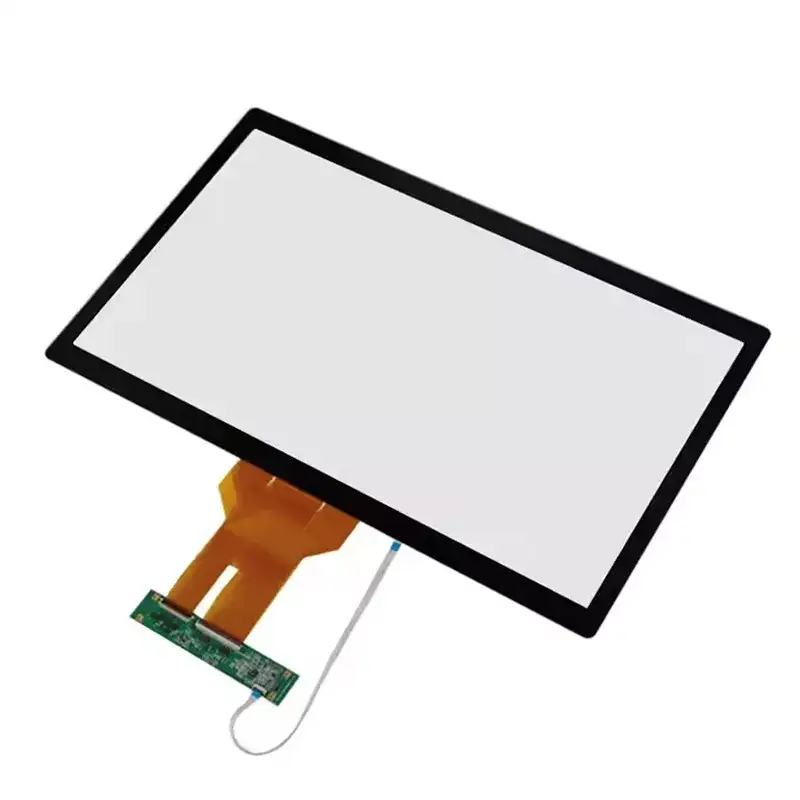
In my experience, many product teams underestimate the role of the Touch Screen until the late stages of development. They spend months refining the enclosure, software logic, board design, and display performance, then treat the touch layer as a standard add-on. That is where trouble begins.
A touch interface is the part users interact with most directly. If the response feels delayed, if the cover glass reflects too much light, if the screen becomes inaccurate when the operator wears gloves, or if repeated use causes performance drift, the entire device feels less reliable. The market rarely excuses a poor interface, even when the rest of the hardware is well designed.
The problem is not only technical. It is also commercial. A weak Touch Screen can create:
- Higher return rates because users think the device is defective
- Longer integration cycles because firmware and hardware need repeated adjustment
- More field complaints in industrial, medical, or outdoor conditions
- Lower brand trust because the device feels cheap or inconsistent
- Unexpected maintenance costs after deployment
This is why I prefer to define touch requirements early. Once I know who will use the device, where it will be used, and what kind of interaction it needs, I can avoid the expensive guesswork that slows down product launch.
What Should I Check Before Choosing a Touch Screen?
Before I compare suppliers or ask for drawings, I like to answer a set of practical questions. These questions sound simple, but they often reveal the real direction of the project much faster than a long specification sheet.
-
Who is the end user?
Is the device operated by trained technicians, medical staff, retail customers, or general consumers? Each group expects a different touch experience. -
Where will the device be used?
Indoor office use is very different from outdoor equipment, factory floors, hospital environments, or public kiosks. -
How will users interact with it?
Finger touch, gloved touch, stylus input, wet-hand use, and multi-touch gestures place very different demands on the panel. -
What display is it paired with?
Touch performance must work with the optical stack, cover lens design, brightness target, and viewing conditions. -
What mechanical limits exist?
Bezel width, mounting structure, thickness limits, connector position, and housing tolerances all matter. -
What lifetime do I expect?
A consumer product and a mission-critical industrial terminal do not need the same durability profile.
This is where a capable manufacturer becomes useful. VICTRONIX DISPLAY CO., LTD presents touch products in multiple sizes and supports customization in shape, size, interface, and cover lens treatment, which is important when a standard panel does not fit the end product well. That kind of flexibility matters because many projects fail not from lack of options, but from forcing the wrong standard option into a specialized design.:contentReference[oaicite:1]{index=1}
How Do Different Use Environments Change the Best Choice?
I never recommend a Touch Screen based on size alone. The environment changes everything. A panel that performs beautifully in a controlled indoor setting may struggle in a dusty warehouse or a bright outdoor kiosk.
| Use Environment | Main Challenge | What I Prioritize |
|---|---|---|
| Industrial equipment | Dust, vibration, gloves, long operating hours | Durability, stable touch response, reliable interface integration |
| Medical devices | Frequent cleaning, precision input, consistent readability | Optical clarity, smooth surface, dependable sensitivity |
| Retail and kiosks | Heavy public use, fingerprints, variable lighting | Surface hardness, anti-glare strategy, multi-touch usability |
| Smart home panels | Aesthetic demands, intuitive interaction, slim design | Visual finish, responsiveness, compact mechanical fit |
| Outdoor terminals | Sunlight, temperature change, weather exposure | Optical treatment, robust bonding, environmental endurance |
That is why a good purchasing decision is never just about finding a “working” panel. It is about choosing a Touch Screen that still works well after months or years in the actual operating environment.
Which Technical Features Actually Matter in Daily Use?
Many buyers are shown long lists of technical terms, but only a few features really shape daily performance. When I evaluate a touch solution, these are the points I care about most.
Responsiveness
Fast, accurate response creates confidence. In control systems, medical interfaces, and commercial terminals, even small delays can frustrate users and increase input errors.
Optical clarity
A touch layer should not make the display look dull or cloudy. Good transmittance and appropriate surface treatment help maintain image quality and reduce the visual penalty of adding touch.
Surface durability
For repeated daily contact, the outer surface has to handle abrasion, cleaning, and impact risks. Hardness and structural design matter more than many buyers first realize.
Multi-touch capability
Not every product needs advanced gesture control, but many modern devices benefit from intuitive pinch, zoom, rotate, or multi-point input. In shared or public systems, stable multi-touch is often expected.
Interface compatibility
This is where many projects lose time. If the interface does not match the controller strategy or system architecture, the touch panel may require more redesign than expected.
Cover lens treatment
Surface treatments can improve readability and usability. Depending on the application, anti-fingerprint, anti-glare, or anti-reflective approaches can all make a visible difference. On the VICTRONIX touch page, the company specifically notes customization support for cover lens treatments such as AF, AG, and AR, which aligns well with real-world project needs where lighting and user contact vary widely.:contentReference[oaicite:2]{index=2}
When I look at product-level examples, I also pay attention to clues about intended use. The VICTRONIX touch product page highlights multiple capacitive touch solutions in different sizes, including G+G designs and applications emphasizing durability, optical performance, multi-touch, and user experience. That tells me the supplier is positioning its solutions beyond basic low-end input panels.:contentReference[oaicite:3]{index=3}
How Can I Compare Touch Screen Options More Clearly?
When I compare options, I like to reduce the discussion to a practical decision table. This keeps the team focused on actual application fit rather than chasing the longest specification sheet.
| Selection Factor | Why It Matters | Risk If Ignored |
|---|---|---|
| Touch technology match | Determines sensitivity and user experience | Poor responsiveness or false input |
| Mechanical fit | Ensures proper installation and sealing | Housing redesign and assembly delays |
| Optical treatment | Improves visibility in real conditions | Glare complaints and weak readability |
| Controller and interface support | Simplifies integration with the main system | Firmware problems and project delay |
| Environmental durability | Protects long-term field performance | Early failure and service burden |
| Customization capability | Aligns panel to real product needs | Compromise design and inconsistent user experience |
What I like about approaching the decision this way is that it forces a buyer to think beyond unit price. A cheaper Touch Screen that creates integration delays or field complaints can become the more expensive choice very quickly.
Why Does Customization Often Save More Than It Costs?
Some buyers hesitate when they hear the word “customization” because they assume it always means longer lead times and higher costs. That can happen, but in many projects the opposite is true.
If I choose a standard panel that does not match the enclosure window, connector direction, thickness requirement, or optical finish, I usually end up paying elsewhere. I may need to change the housing, revise the internal layout, modify firmware, add mechanical compensation parts, or accept a compromised appearance. Those hidden costs add up fast.
A customized Touch Screen can help solve issues such as:
- Non-standard cover lens geometry
- Brand-specific aesthetic requirements
- Unique interface positions for compact devices
- Special anti-glare or anti-reflection demands
- Harsh application environments requiring stronger structural choices
On its product page, VICTRONIX DISPLAY CO., LTD emphasizes support for customized shape, size, interface, and cover lens treatment. For me, that is not just a sales point. It is a sign that the supplier understands the real purchasing pain point: many product teams do not need a generic touch panel, they need one that fits their product without creating secondary problems.:contentReference[oaicite:4]{index=4}
What Mistakes Should Buyers Avoid?
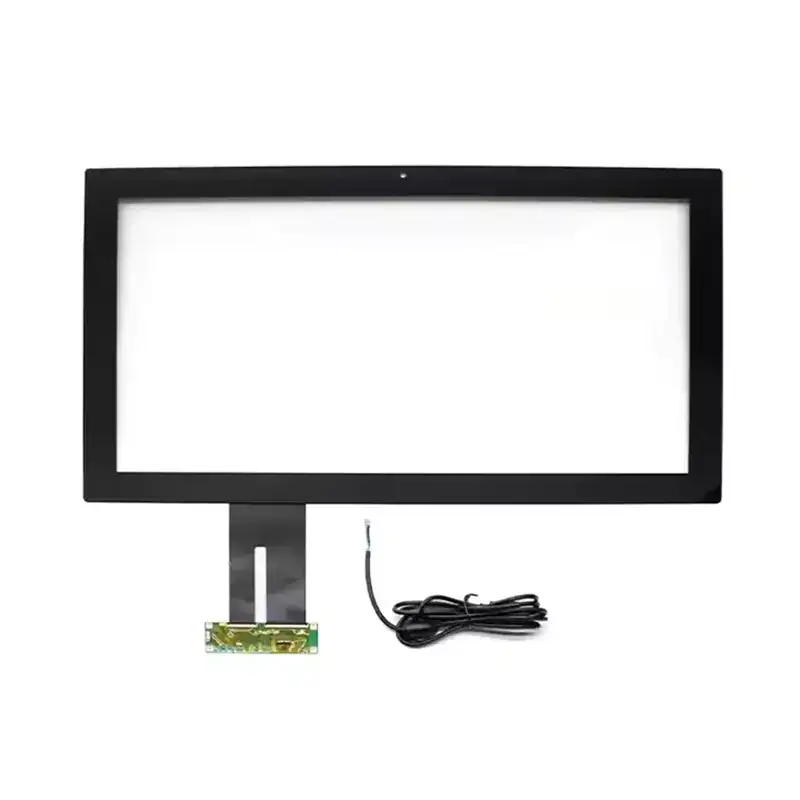
I see the same mistakes appear again and again, especially in fast-moving projects.
-
Choosing by price first
Low upfront cost is tempting, but it should never outweigh application fit and reliability. -
Ignoring the optical stack
A great display can still look disappointing if the touch structure and surface treatment are not considered together. -
Assuming standard sizes will always work
Standardization is useful, but forced fit often creates mechanical and aesthetic issues. -
Waiting too long to define user interaction needs
Touch with gloves, moisture, public use, or repeated cleaning should be planned from the beginning. -
Overlooking supplier cooperation quality
A supplier should do more than quote. It should help evaluate drawings, interfaces, use environment, and customization feasibility.
If I want a smoother project, I make the touch decision earlier and work with a supplier that can discuss the full application, not just the panel itself.
Which Questions Do Buyers Ask Most Often?
Is every touch screen suitable for industrial use?
No. Industrial environments often require stronger durability, stable operation under longer working cycles, and better tolerance for dust, vibration, or gloves.
Does customization always mean a complicated project?
Not necessarily. In many cases, customization reduces overall complexity because it avoids repeated compromises during enclosure, electronics, and interface integration.
Why does cover lens treatment matter so much?
Because visibility and surface feel change the daily user experience. In bright, public, or heavily used environments, the right surface treatment can noticeably improve usability.
Should I focus more on display or touch?
You should evaluate them together. A device succeeds when display performance, touch response, and mechanical structure support each other.
What makes a supplier worth trusting?
I look for product range, relevant experience, customization capability, and a willingness to discuss practical application details instead of offering a one-size-fits-all response.
How Should I Move Forward with the Right Supplier?
If I have learned anything from sourcing display components, it is this: the best Touch Screen is not simply the one with the most attractive specification line or the lowest quote. It is the one that works naturally with the device, performs reliably in its real environment, and supports the product experience users expect from the first touch to the thousandth.
That is why I prefer to work with suppliers that understand the broader picture. VICTRONIX DISPLAY CO., LTD positions itself around touch and display solutions with broad size coverage and customization options, which makes it relevant for projects that need more than an off-the-shelf part. If you are developing a device and want a touch solution that aligns with performance, durability, integration, and long-term product value, now is the right time to review your requirements carefully and move with confidence.
Contact us to discuss your project, share your drawings or application goals, and explore a touch solution that fits your product instead of forcing your product to fit the wrong screen.